Network Scanning

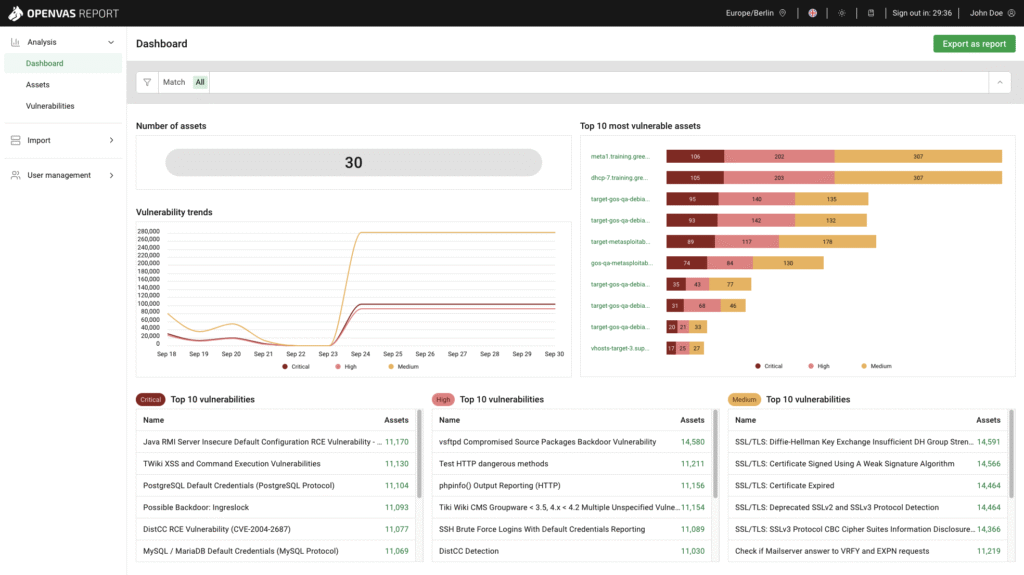
Network scanning is one of the first and most important steps in protecting a computer network from cyber threats. It’s the process of examining a network to discover all connected devices, open ports, and running services—essentially creating a map of everything that’s online. For IT administrators, this is a vital tool that helps them understand what’s on their network, how it’s configured, and where vulnerabilities might exist. Hacking for Good uses network scans to identify outdated software, misconfigured systems, or unauthorized devices that could be exploited by hackers. In short, network scanning gives IT admins the visibility and control they need to keep their systems secure, efficient, and resilient against evolving cyber threats. Not familiar? No problem! Hacking for Good provides a custom appliance to conduct the scans- simply plug it in to your network, power it on, and walk away!

Leave a Reply

Related Post

NIST Cybersecurity Framework

The NIST Cybersecurity Framework is a set of guidelines developed by the National Institute of Standards and Technology to help organizations manage and reduce cybersecurity risks. It provides a structured approach to identifying, protecting, detecting, responding to, and recovering from cyber threats, making it a widely accepted standard in cybersecurity planning. Hacking for Good can […]

Online Footprint Review

An online footprint evaluation for a nonprofit is a cybersecurity-focused review of how much information the organization—and its staff, volunteers, and donors—are exposing publicly on the internet. This includes analyzing the nonprofit’s website, social media accounts, staff directories, event listings, and any other digital content that could reveal sensitive or exploitable details. While transparency is […]

Simulated Phishing Exercises

A simulated phishing exercise is a cybersecurity training method used to test and educate employees about phishing threats. Hacking for Good can send fake but realistic phishing emails to organizational staff to see how they respond-whether they click on suspicious links, enter sensitive information, or report the email as suspicious, all in a safe and […]